Clinic Website and Appointment Booking: How Your Site Brings New Patients
In this article
- The essential pages of a clinic website
- Appointment booking in one tap
- A page per service = more visibility on Google
- Patient trust
- Google Maps and the website together
- Mobile and speed
- Content that brings patients from Google
- Privacy and trust
- More than one branch or doctor
- Ads for clinics
- Frequently asked questions about a clinic website
- Do I need a complex booking system?
- Can I show prices?
- Is this suitable for medical centres and labs?
- The patient's journey from search to booking
- The doctor's page: what should it include?
- How do you measure the success of a clinic website?
- The clinic's identity
- Should patients pay online when booking?
- How do I reduce missed appointments?
- Can the website be in Arabic and English?
- Common mistakes on clinic websites
- How do you start?
- Will the site bring bookings from day one?
- Do I need to write medical articles?
- Quick summary
- Conclusion
Today, patients search on Google before choosing a doctor: they compare, read and check the address and opening hours. If your clinic has no website, or the website is not convincing, the booking goes to another clinic. In this article we explain how a clinic website becomes a steady source of bookings.
The essential pages of a clinic website
- Home: the specialty, what makes the clinic different and a visible booking button.
- Services: a page for every service that explains it simply.
- Doctors: qualifications, experience and specialty.
- Hours and branches: opening hours and the address on the map.
- Contact: clear numbers and WhatsApp.
Appointment booking in one tap
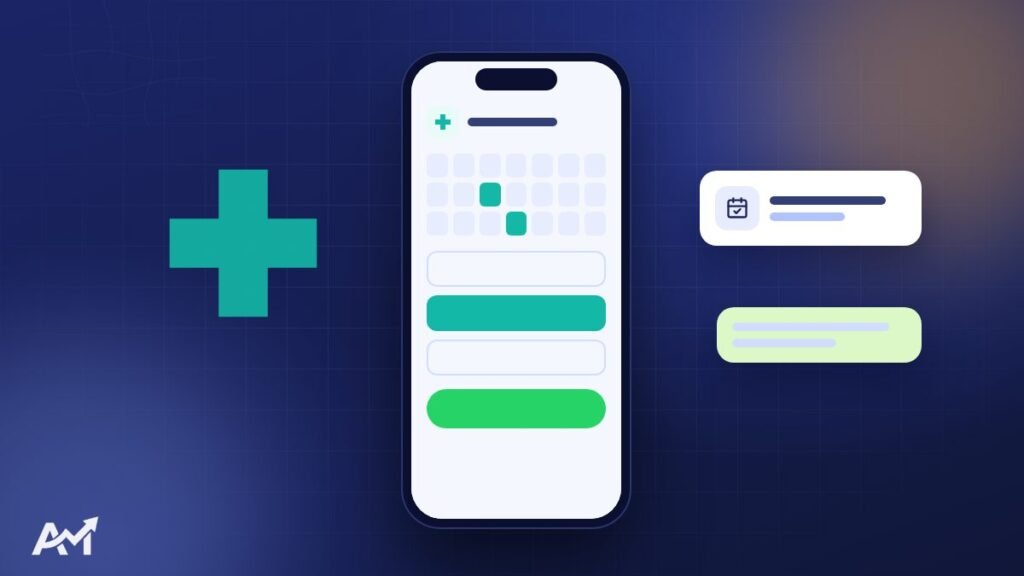
The two easiest ways:
- WhatsApp with a ready message: the patient taps and a message opens with the service and the requested time. Simple, fast and it needs no system.
- A booking form: the patient leaves their name, number and the service, the request reaches you and you confirm the appointment.
The choice depends on the number of bookings and how your reception team works.
A page per service = more visibility on Google
Patients search for their problem, not for the clinic’s name: “braces”, “laser”, “physiotherapy”. A separate page for each service that explains what it is, who it suits and how it is done helps you appear in those searches. Read how to get your website ready for Google.
Need a website that brings you customers? Tell us about your business and we will come back with a plan and a clear written quote. The first consultation is free.
Patient trust
- Real photos of the clinic and the team.
- A clear introduction to every doctor.
- Patient reviews (from Google Maps, for example).
- An address and opening hours that match the clinic’s Google Maps profile.
Google Maps and the website together
When someone searches for “dental clinic near me”, Google shows the map results first. Connect your website to your clinic’s Google Business Profile, and keep the name, address and phone number the same in both places.
Mobile and speed
Most patients search from their phones, sometimes while on the way. The site must open quickly, and the booking button must be visible without much scrolling. Read why website speed matters.
Content that brings patients from Google
Short articles that answer patients’ common questions do two things: they bring visits from people looking for information, and they build trust in the doctor before the visit. Example topics: “When should I see a dentist?”, “The difference between types of fillings”, “How to prepare for a laser session”. Keep the content simple and accurate, and reviewed by the doctor.
Privacy and trust
Patients share sensitive information, so:
- The site must run on https.
- The booking form should ask for the minimum information (name, number and service).
- Do not show patients’ photos or details without their clear permission.
More than one branch or doctor
If the clinic has more than one branch, each branch gets a page with its address, hours, map and booking number. If there is more than one doctor, each doctor gets a page with their specialty and schedule. This makes things easier for the patient and increases your chances of appearing in search.
Ads for clinics
Paid ads can target people near the clinic. And when the ad leads to the service page on the website, not just to messages, the patient reads, feels reassured and books. See social media management and ads.
Frequently asked questions about a clinic website
Do I need a complex booking system?
Not necessarily. For many clinics, a WhatsApp button with a ready message or a simple form is more than enough, and later, if bookings grow, we can add an appointment system.
Can I show prices?
That is your decision. You can show the prices of some services or “starting from” prices, or keep them on request.
Is this suitable for medical centres and labs?
Yes, the same idea applies to multi-specialty centres, labs, radiology centres and physiotherapy centres.
The patient’s journey from search to booking
- Search: the patient types their problem or the doctor’s specialty into Google.
- Comparison: they open several results and compare qualifications, reviews, address and hours.
- Reassurance: they read about the service and the doctor and look at photos of the clinic.
- Booking: if everything is clear and booking is easy, they book. If they are unsure, they move on to the next clinic.
Each of these stages has something on the website that serves it, and if one stage is missing, the patient gets lost along the way.
The doctor’s page: what should it include?
- The name, academic title and exact specialty.
- Qualifications, certificates and places of work.
- The services they provide.
- Their schedule at each branch.
- A professional, reassuring photo.
- A direct booking button for them.
How do you measure the success of a clinic website?
The most important number is the number of bookings that come from the website. Connect the WhatsApp button and the booking form to Google Analytics so you know how many people tapped them, and from which page. And ask new patients “how did you hear about us?”. These numbers tell you which service needs more content and which page needs improving.
The clinic’s identity
The clinic’s look online is part of the patient’s trust: a clear logo, calm and comfortable colours and clean photos. When the website, social media, cards and prescriptions share the same identity, the clinic looks more professional. That is possible through brand identity design.
Should patients pay online when booking?
It is not necessary for most clinics. Booking by phone and paying at the clinic is simpler, and if you want prepayment it can be added later.
How do I reduce missed appointments?
A confirmation message and a reminder message before the appointment reduce no-shows. This can be done manually on WhatsApp or with an appointment system.
Can the website be in Arabic and English?
Yes, and that is an advantage if you have foreign patients. If you want to know the budget, read website design cost.
Common mistakes on clinic websites
- A phone number nobody answers: the worst experience for a patient who has decided to book.
- Old hours that are not updated: the patient arrives to find the clinic closed.
- Complicated medical language: the patient wants to understand simply.
- No clear booking button: the patient has to search for the number.
- A site that is slow on mobile.
How do you start?
- Write a list of all the services you provide.
- Prepare the doctors’ details, qualifications and photos.
- Choose the booking method that suits your reception team.
- Prepare real photos of the clinic inside and outside.
- Make sure the clinic’s Google Maps profile is up to date.
After that we can build the site with the pages and features we have explained, and connect it to measurement tools so you know every month how many bookings the site brought you.
And remember that a clinic website is not a project that ends on launch day. Every new service, doctor or branch must appear on the site straight away. And content that answers patients’ questions keeps bringing visits for months and years.
Will the site bring bookings from day one?
If the site is new, bookings from Google grow over time. If you want faster bookings, targeted ads bring results from the start.
Do I need to write medical articles?
It is not necessary at the start, but simple articles reviewed by the doctor make a big difference in visibility and trust in the long run.

Quick summary
- Patients compare clinics online before booking, and the website wins that comparison.
- A page per service and a page per doctor increase trust and visibility in search.
- Booking must take one tap, through WhatsApp or a simple form.
- The clinic’s details must be the same on the website and on Google Maps.
- Measure the number of bookings that come from the site every month so you know where to improve.
- Simple medical content reviewed by the doctor brings visits from people searching for the same problem, and builds trust before the first visit.
- If you want faster bookings at the start, ads targeting the area around the clinic bring results from the first days.
Conclusion
A successful clinic website answers the patient’s questions, reassures them and makes booking easy. In our clinic website design service we do all of this, and you can see an example of a dental clinic website we built on our work page. And if you want to know the budget, read website design cost.